Is this really from who it claims to be from?
Answered by authentication: SPF, DKIM and DMARC. It is a gate you pass once by publishing three DNS records, and then maintain. Fail it and nothing else you do matters much.

Written for the sender with a few thousand contacts and no deliverability team: what the three records actually do, why the sending domain is the part you control, how to warm a new one, and the order to work the problem in when the opens fall off a cliff. Works with any sending platform; where a tool decision genuinely changes the plan, it says so.
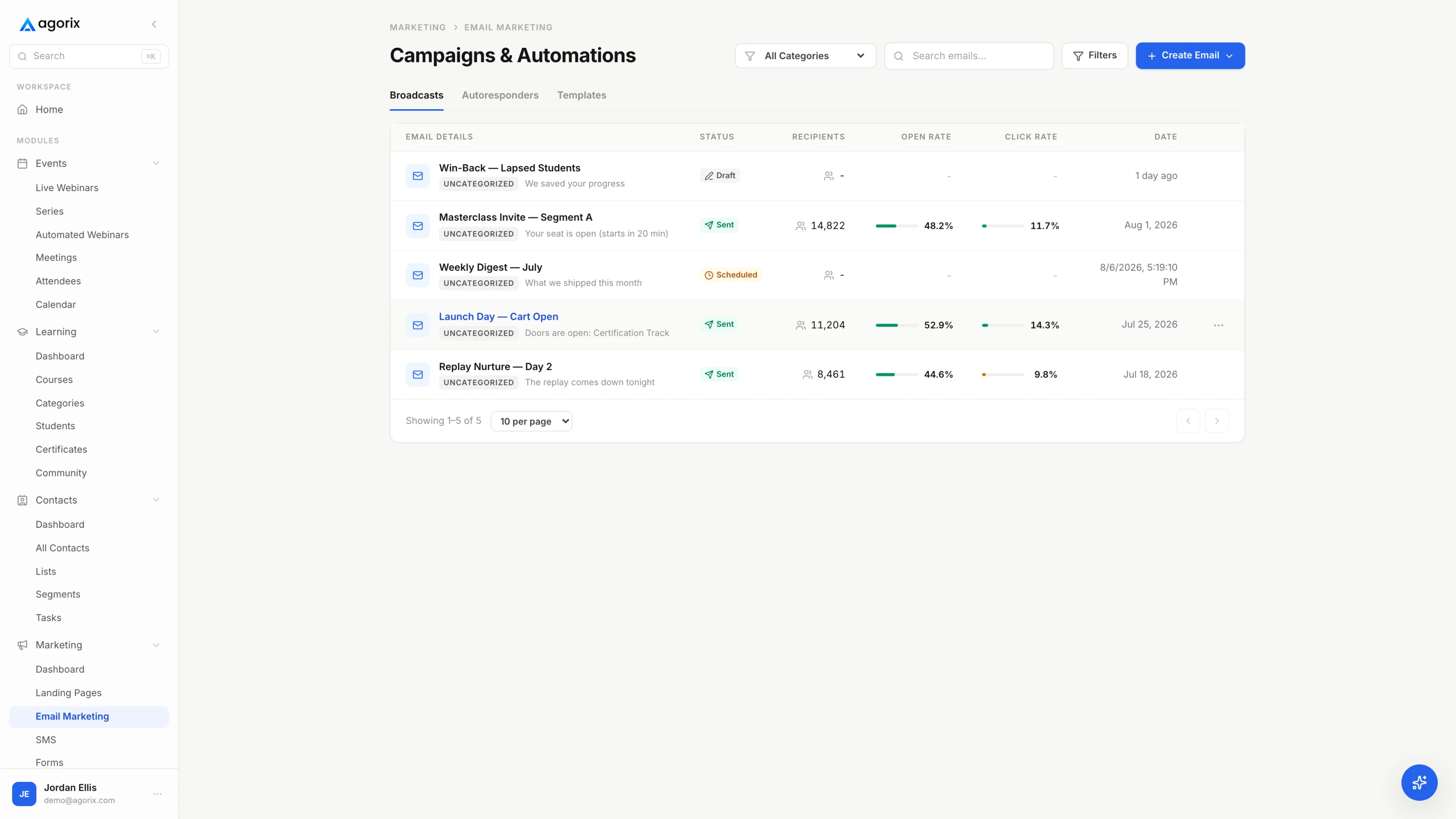
Almost every sending platform reports a delivery rate above ninety-five per cent, and almost every small sender reads that number as good news. It is not the number you think it is.
Delivered means the receiving server accepted the message rather than rejecting it at the door. It says nothing about what happened next. The same message can be delivered and filed into a spam folder nobody opens, or a promotions tab somebody checks on Sundays, or the inbox. Senders cannot see placement directly — no honest tool can tell you your inbox rate, because that information is not exposed to the people sending the mail.
What you can do is understand the questions a receiving mailbox provider is asking, because every technique in this guide is an answer to one of them. There are three, and they run in order.
Answered by authentication: SPF, DKIM and DMARC. It is a gate you pass once by publishing three DNS records, and then maintain. Fail it and nothing else you do matters much.
Answered by history attached to your sending domain and to the IP that hands over the message. Earned over weeks, lost in an afternoon, and the reason the sending domain is worth separating.
Answered by engagement, and it is the gate that carries the most weight in practice. Everything else is infrastructure that lets you compete; the behaviour of your recipients is what decides where you land. This is why a technically perfect setup mailing a two-year-old purchased list still ends up in spam, and a plain-text weekly note to people who open it lands in the inbox from an ordinary shared platform.
Authentication first, because it is a one-time cost with a permanent effect. Then the sending domain, because the decision is hard to reverse later. Then warmup, hygiene, engagement and complaints, which are the four habits that build the reputation the first two gates let you have. The last two sections are for the week something breaks: a triage order, and the four numbers that would have warned you.
Authentication has a reputation for being an IT project. It is three records, an afternoon, and one two-minute test — as long as you publish them in the right order and resist the urge to skip to the strict setting.
Each record answers a different question. SPF says which servers may hand mail to the internet on your behalf. DKIM attaches a signature that proves the domain owner vouches for the message and that it arrived unaltered. DMARC ties the two together, tells receivers what to do when both fail, and sends you reports about it.
| Record | What it answers | What its absence costs |
|---|---|---|
| SPF | Was this message handed to the internet by a server the domain owner authorised? It is one DNS text record on your sending domain listing the services allowed to send as you. | Mail from your domain has nothing vouching for the route it took. It also breaks quietly: SPF has a hard ceiling on how many DNS lookups it may trigger, and stacking one more vendor into an already-crowded record can push the whole thing into failure without changing anything you can see. |
| DKIM | Does the domain owner cryptographically vouch for this message, and did it arrive unaltered? Your provider signs each message; you publish the matching public key in DNS at the selector they give you. | You lose the only signal that survives forwarding intact, and you cannot reach a DMARC pass on forwarded mail. A DKIM key that was rotated at the provider and never republished in DNS fails silently — the mail still sends, it just stops being vouched for. |
| DMARC | When a message fails both of the above, what should the receiver do with it, and where should the reports go? It is one record at the _dmarc host on your domain, plus a mailbox that reads the reports. | Anyone can put your domain in a From line and you will never hear about it. You also lose the reports, which are the only view you get of every system sending as you — including the invoicing tool and the help desk you forgot were doing it. |
A message can pass SPF and still fail DMARC. That sentence is responsible for most of the confusion in this subject, and the reason is simple once stated: DMARC does not care that something passed, it cares that the thing that passed matches the domain your reader sees in the From line. Mail sent through a platform can easily pass SPF for the platform’s own domain while your domain sits unauthenticated in the visible header. That is a fail.
In practice, alignment is what you get when you complete your provider’s domain authentication setup properly rather than partially. If their instructions offer a quick path and a full path, the full path is the one that produces alignment. Verify it rather than assume it.
v=DMARC1; p=none; rua=mailto:[dmarc@yourdomain.com]; fo=1
Nothing, deliberately. p=none asks receivers to treat failing mail exactly as they would have anyway, and to send aggregate reports to the address in rua. It is a monitoring position, and it is where every domain should start.
p=quarantine, then later to p=reject.rua at a mailbox somebody opens, or a parser. Reports nobody reads are the same as no reports.Send a real campaign — not a preview — to an account you own at each of the two or three largest providers on your list. Open the message, view the original or the full headers, and read the authentication results line. You are looking for a pass on SPF, a pass on DKIM, and a pass on DMARC. If DMARC fails while the others pass, you have an alignment problem and the domain in your From line is the place to look. Do this after every change to your DNS or your sending platform; it is the whole test.
Two reputations decide your fate: the one attached to the domain in your From address, and the one attached to the IP that hands the message over. On shared infrastructure the IP is not yours. The domain always is — which makes it the part worth structuring deliberately.
Every business sends at least two kinds of mail. There is the mail that has to arrive: receipts, invoices, password resets, course access, calendar confirmations, and the replies you write to individual people. And there is the mail that sells: broadcasts, newsletters, launches, invitations. The second kind is where complaints come from. The first kind is where the damage lands if you let them share a reputation.
The standard arrangement is to send marketing from a subdomain of the domain you already own — mail.yourdomain.com, news.yourdomain.com, go.yourdomain.com — while everything transactional and personal keeps leaving from the main domain. Receivers treat subdomain reputation as related to but distinct from the parent, so a bad month in the marketing stream does not take your invoices down with it. The separation is real without being absolute, which is the correct amount of separation for a small business.
What not to do is register a fresh, unrelated domain for marketing. It inherits nothing, starts from no history, and no history is not a neutral position — an unknown domain sending bulk mail looks exactly like the throwaway domains that exist for that purpose. A subdomain of a domain with years of ordinary business mail behind it starts from a much better place.
A dedicated IP sounds like an upgrade and is often a downgrade. Reputation on an IP is built from consistent traffic; an address carrying occasional sends never accumulates enough history to be judged generously, and a single unusual campaign moves it a long way because there is nothing to average against. Shared infrastructure with a well-managed sender pool is normally better until your volume is both large and regular — at which point a dedicated IP starts to give you isolation from other people’s mistakes rather than exposure to your own.
The honest framing: the dedicated sending domain is the change that helps almost every small sender. The dedicated IP is the change that helps a specific kind of large, predictable sender, and hurts everyone else. If you are unsure which you are, you are the second one.
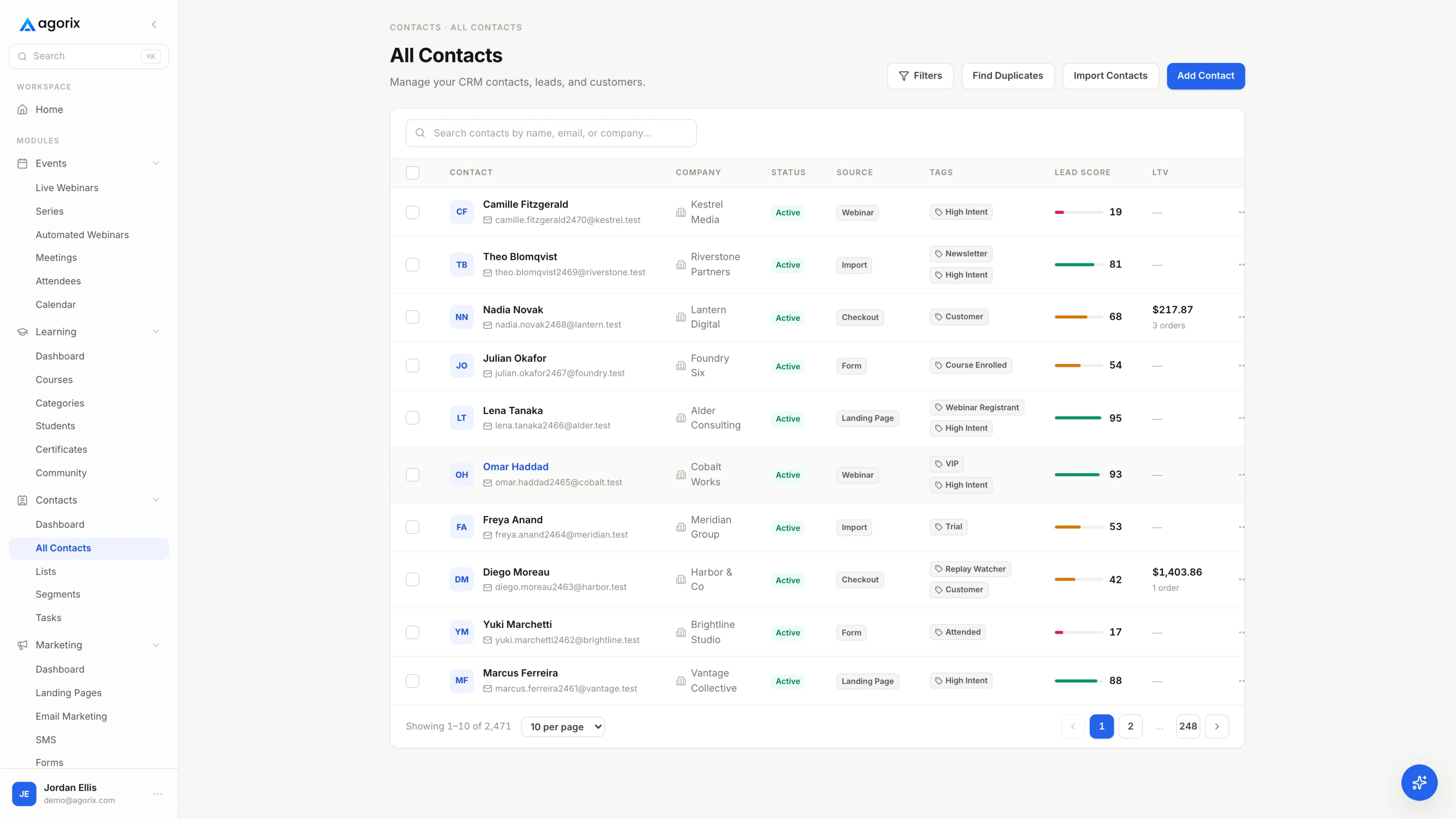
The instinct with a new sending domain is to move the whole list across on a Tuesday and carry on. That single send is the most dangerous thing you will do to it, because a domain with no history sending thousands of messages at once is indistinguishable from the thing receivers are built to stop.
Warmup is not a technical procedure. It is the deliberate accumulation of evidence that mail from this domain is wanted — and the only evidence that counts is recipients opening, clicking, replying and not complaining. Which means the way to warm a domain is to start with the people most likely to do those things, and widen only while they keep happening.
The table below is illustrative arithmetic rather than a standard — the shape matters far more than the specific numbers, and the right volumes depend entirely on your list size. Read it as a rule with a schedule attached: start with the warmest people, roughly double at each step, and only double if the previous step held.
| Window | Roughly how much | Who it goes to |
|---|---|---|
| Days 1–3 | A small fraction of the list — enough to produce a signal, not enough to matter if it goes badly | People who opened or clicked something in the last 30 days, most recent first |
| Days 4–7 | Roughly double the previous step, on the same schedule and at the same time of day | Still the 30-day engaged. Same audience twice teaches the receiver what normal looks like |
| Week 2 | Double again if — and only if — bounces, complaints and clicks all held | Extend to people engaged in the last 90 days |
| Week 3 | Double again on the same condition | Extend to 180 days |
| Week 4 onward | Your normal volume, at your normal cadence | Everyone except the segment your sunset rule has already retired |
The condition attached to every step is the part that does the work: if bounces rose, complaints appeared, or clicks fell compared with the previous step, do not double. Hold at the same volume and audience until it stabilises, or step back one level. A ramp that pauses for a week costs you a week. A ramp that ignores its own signals costs you the domain.
If you have a few hundred engaged contacts and you send them something useful every week, that is a warmup. The ramp table exists for the case where a large list is being introduced to a new domain quickly. Below a few thousand addresses, sending normally to people who want to hear from you does the same job without the ceremony.
Every list ages. Addresses are abandoned, people change jobs, interest fades. Without a written rule for retiring contacts, the default policy is “keep mailing everyone forever”, and that policy has a cost that arrives all at once.
Start with the mechanical part. A hard bounce means the address does not exist; it should be removed from sending permanently after a single failure, and every serious platform does this automatically. Verify that yours does, because continuing to send to addresses that do not exist is one of the clearest signals of a sender who is not paying attention. Soft bounces — full mailboxes, temporary rejections — are worth a few retries and then the same treatment.
Mailbox providers reclaim long-abandoned addresses and, in some cases, reactivate them as traps: addresses that exist only to identify senders mailing people who stopped reading years ago. There is nothing you can do to detect one, which is exactly the point. The only defence is not to be a sender who keeps mailing addresses that have shown no sign of life. A second kind of trap has never belonged to a person at all — those are seeded to catch scraped and purchased lists, which is one of several reasons never to touch one.
A sunset rule has three parts: a window, a last attempt, and an outcome. The window should match your cadence — a weekly sender can reasonably treat ninety days of silence as dormant, while a monthly sender needs something closer to six months for the same number of ignored messages. Count opens and clicks together, and lean on clicks, since opens are the less reliable of the two.
The contact stays on the record with their source, tags, purchases and history. They can return through a future opt-in, and the commercial history is still there when they buy again.
You lose the purchase history, the attribution, and the record of what they consented to. Reserve deletion for actual erasure requests, where it is the correct and required action.
Hygiene is cheaper at the front door than anywhere else. Use a form that rejects obvious typos, send the first email immediately so a bad address bounces while you can still see why, and record where every contact came from. If a particular source produces addresses that never engage, source data is what lets you find that out — and a welcome sequence that arrives while people still remember subscribing is the single highest-engagement mail you will ever send, which makes it warmup material as well as marketing.
Confirmed opt-in — where a subscriber has to click a link in a first email before joining the list — is the strongest version of this. It costs you some subscribers who never confirm, and buys a list where every address is real and every person acted twice. Whether that trade is worth it depends on where your contacts come from; if any part of your acquisition is untrusted, it is.
Authentication proves you are who you say. The sending domain gives you somewhere to build a history. What that history is made of is recipient behaviour — and the receiving side reads it as a ratio, which changes what you should do about it.
Positive signals are the obvious ones and a few less obvious: opening, clicking, replying, moving a message out of spam, adding you to contacts, keeping messages rather than deleting them unread. Negative signals are deleting without opening, reporting as spam, and long stretches of total non-response. The important part is that these are weighed as proportions of what you send. Adding recipients who will never open does not add neutral volume — it dilutes the ratio for everybody, including the people who were reading you happily.
That single mechanism is why segmenting is a deliverability action and not only a marketing one. Sending your best campaign to everyone, every time, actively lowers the chance that the people who wanted it will see it. Sending to people likely to engage protects placement for the whole list. The segmentation guide for a small list covers how to do this with a few thousand contacts and no data team.
Opens are the metric everybody watches and the one to trust least. Mail privacy features at the major consumer providers pre-fetch images on the recipient’s behalf, which registers as an open whether or not a human ever looked at the message. The effect is not uniform across providers or devices, so your headline open rate is an average of a distorted number and a real one.
Use them for trend, within a consistent segment, and never as the sole basis for a decision. Clicks are harder to fake and harder to inflate. Replies are better still. And the number that tells you the most about list health is the share of your list that has done anything at all in ninety days, which is a ratio and therefore immune to the flattery of a growing contact count.
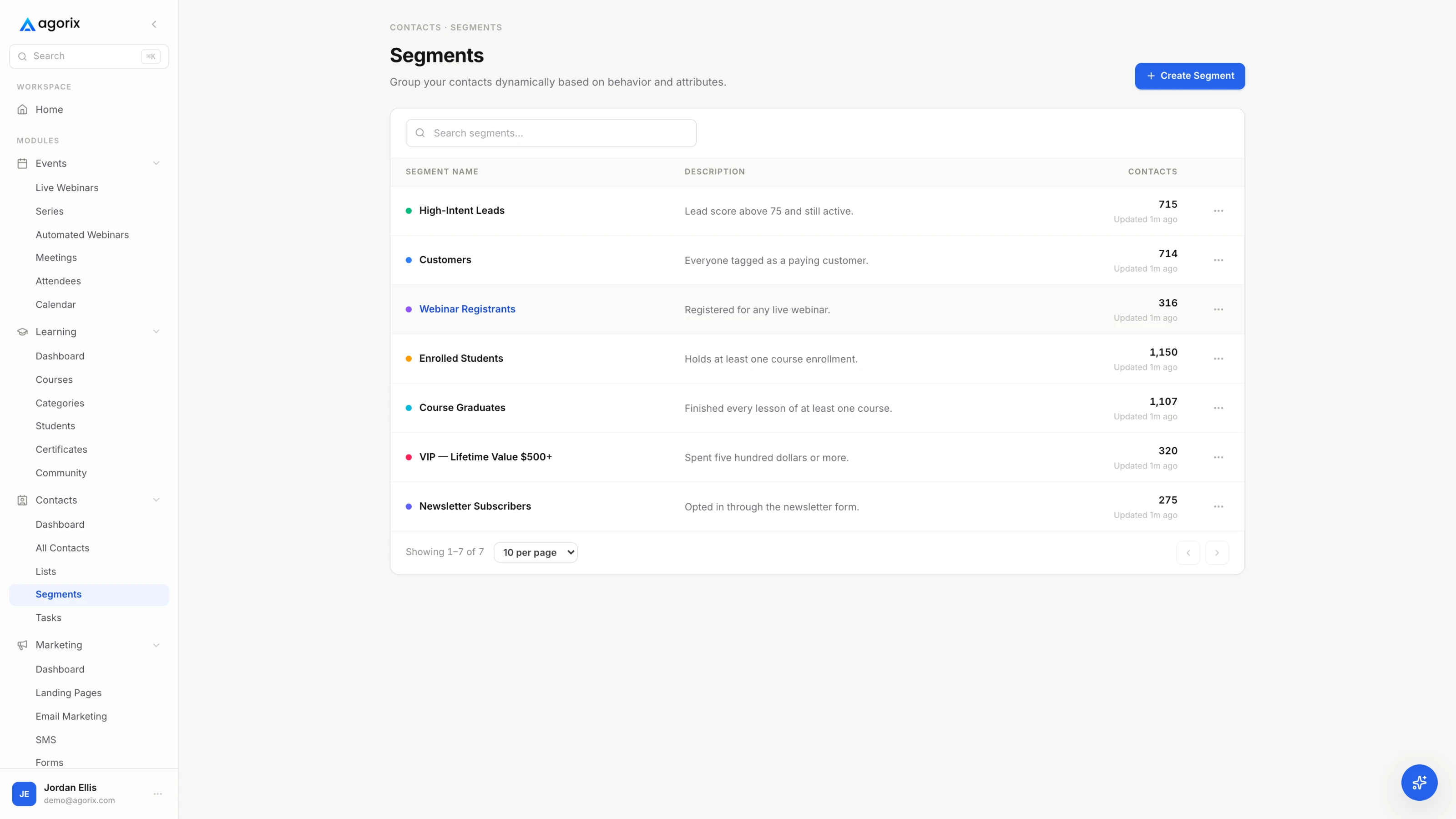
Any tool can export the people who opened something in the last ninety days. The problem is that the export is stale by morning, and the hand-built suppression list is why a dormant contact got the broadcast anyway. In Agorix the audience adds and removes people as their behaviour changes, and suppressing someone from marketing does not remove their history from the customer record — see how marketing audiences work.
When somebody presses the report-spam button, the receiving provider records it against your sending domain and, where relevant, the IP. It is the most direct negative signal available, and it is measured in fractions of a per cent — which has an awkward consequence for small senders.
Complaint rate is a proportion of messages delivered to that provider. The published bulk-sender guidance from the largest providers asks senders to stay well under a third of a per cent and to treat a tenth of a per cent as the level to aim for. On a send of a few thousand, that arithmetic is unforgiving: a handful of complaints is enough to breach a threshold. The response is not to send less honestly — it is to send to people who remember agreeing to hear from you.
The unsubscribe link is deliverability infrastructure. It should be visible rather than hidden in six-point grey, it should work in one click without a login, and the list-unsubscribe header should be switched on at your platform so mail clients can offer their own unsubscribe control next to the spam button. Where the client offers both, people take the gentler option — but only if it is there.
Honour both unsubscribes and complaints quickly; the published guidance asks for within two days, and there is no good reason to take longer. A preference centre offering “fewer emails” or “only product news” alongside “unsubscribe from everything” is worth building, with one condition: only offer options you will actually honour, and never make the full unsubscribe harder to find than the alternatives.
Senders resist making the exit easy because every unsubscribe looks like a lost prospect. It is not. The person leaving had already stopped being a prospect; the only question is which door they use. One door costs you a contact. The other costs you a small piece of the reputation that decides whether everybody else sees your mail at all.
Finally, enrol where the providers let you. The large mailbox operators publish sender tooling that reports complaint rates and reputation for domains you can prove you own, and some support feedback loops that tell you when a message was reported. It costs a DNS record and it is the only view you get of the number that matters most.
The instinct is to change six things at once — new subject lines, fewer images, a different send time, maybe a different platform. That guarantees you will not learn which one mattered. The order below moves from cheapest and most likely to most expensive and least likely.
Most deliverability emergencies resolve at step two or three: one provider is unhappy, or a record broke during a change nobody connected to email. The cases that reach step six are usually not emergencies at all — they are a list that has been ageing for a year and finally crossed a line.
The advice about avoiding certain words, exclamation marks and coloured text is a survival of filters that stopped working that way a long time ago. A message from an authenticated domain with a good history, sent to people who open it, is not sent to spam because the subject line contains the word free. A message from a cold domain to a stale list is not saved by removing it. Spend the effort on who you are sending to; that is where the decision is actually made.
Deliverability is not a project you finish; it is a small amount of attention paid regularly. These four are enough to catch almost everything early, and none of them requires a specialist tool.
| The number | Where you read it | What it means when it moves |
|---|---|---|
| Hard bounce rate | Your sending platform, per send | A rise means addresses are ageing or an import brought in something unverified. It is the earliest mechanical warning you get, and the cheapest to act on. |
| Complaint rate, per provider | The mailbox providers’ own sender tooling | The number the receiving side actually weighs. A rise is an instruction to reduce volume and re-target now, not after the next campaign. |
| Click rate within the recently-engaged segment | Your sending platform, same segment each time | More trustworthy than opens, and it isolates message quality from list quality. If clicks hold while your headline open rate falls, the list is fine and the metric is noisy. |
| Share of the list engaged in 90 days | A segment count, read as a ratio | The slow one, and the one that predicts trouble. A count that stays flat while the ratio falls means you are adding contacts faster than you are keeping them. |
Add one habit to the four numbers: keep accounts at the two or three largest providers on your list, include them in every significant send, and look. It is the closest thing to a placement check that exists, it takes seconds, and it has caught more problems for more senders than any dashboard.
Finally, keep a short written record of changes: the day you added a tool to SPF, the day you moved sending domains, the day the import ran, the day the cadence changed. When something moves three weeks later, that log turns an afternoon of theorising into a one-minute answer.
Delivered means the receiving server accepted the message instead of bouncing it. It says nothing at all about where the message was then filed. A campaign can report ninety-nine per cent delivered and sit in spam folders. Placement is not directly visible to senders, so it is inferred three ways: from engagement patterns over time, from the sender tooling the large mailbox providers publish for domains they receive mail from, and from sending each campaign to a handful of accounts you own at the providers your list actually uses.
Yes. The published bulk-sender requirements are written with high-volume senders in mind, but authentication is a one-time cost that does not scale with volume, and what it prevents is not a volume problem. Without DMARC, anyone can put your domain in a From line and you will never hear about it. Publish SPF and DKIM first, then DMARC at p=none with a reporting address, and only tighten the policy once the reports show every legitimate system passing.
Use a subdomain of the domain you already own — something like mail.yourdomain.com — for marketing sends. That keeps bulk marketing reputation separate from the invoices, receipts, password resets and one-to-one replies leaving your main domain, so a bad month in one stream does not stop the other. What you should not do is register a brand-new unrelated domain for it. A domain with no history is not treated as neutral by receivers; it is treated as the thing a throwaway sender would use.
Usually not, and the reason is counter-intuitive: a dedicated IP only develops a stable reputation if it carries consistent, substantial traffic on a predictable schedule. Below that it never warms properly, and one unusual send moves it a long way, because there is no history to average against. Shared sending infrastructure with a well-managed pool is normally better until volume is both large and regular. In Agorix a dedicated sending domain is included on every paid plan; dedicated IP and managed deliverability are add-ons, currently listed from $99–$299 per month.
Work in order rather than changing six things at once. Confirm the drop is real by comparing the same segment across several sends. Split the last few sends by recipient domain — problems are rarely uniform across providers, and that split usually names the cause by itself. Verify the three records still pass, with alignment, from a real inbox. Read the bounce messages and the providers’ sender tooling. List what changed on your side in the last month. Only then look at the list, and cut back to the recently-engaged segment while it recovers.
Yes, for three mechanical reasons rather than a superstitious one. Engagement is judged as a ratio, so people who never open drag the ratio down for everyone who does. Long-abandoned addresses can be reactivated by providers as traps, and hitting one is a direct reputation event rather than a slow signal. And complaints are counted per delivered message, so a smaller, warmer audience improves the denominator instead of inflating it. Run a re-engagement sequence first, then suppress the people who do not respond — suppress, not delete, so the purchase history stays attached to the record.
A dedicated sending domain on every paid plan, audiences that add and remove people as behaviour changes, suppression that keeps the customer record intact, and campaign reporting that does not stop at the click — so hygiene is a rule the system runs rather than a task you remember.
14 days · $0 due today · Payment method required · Cancel before first charge and pay nothing