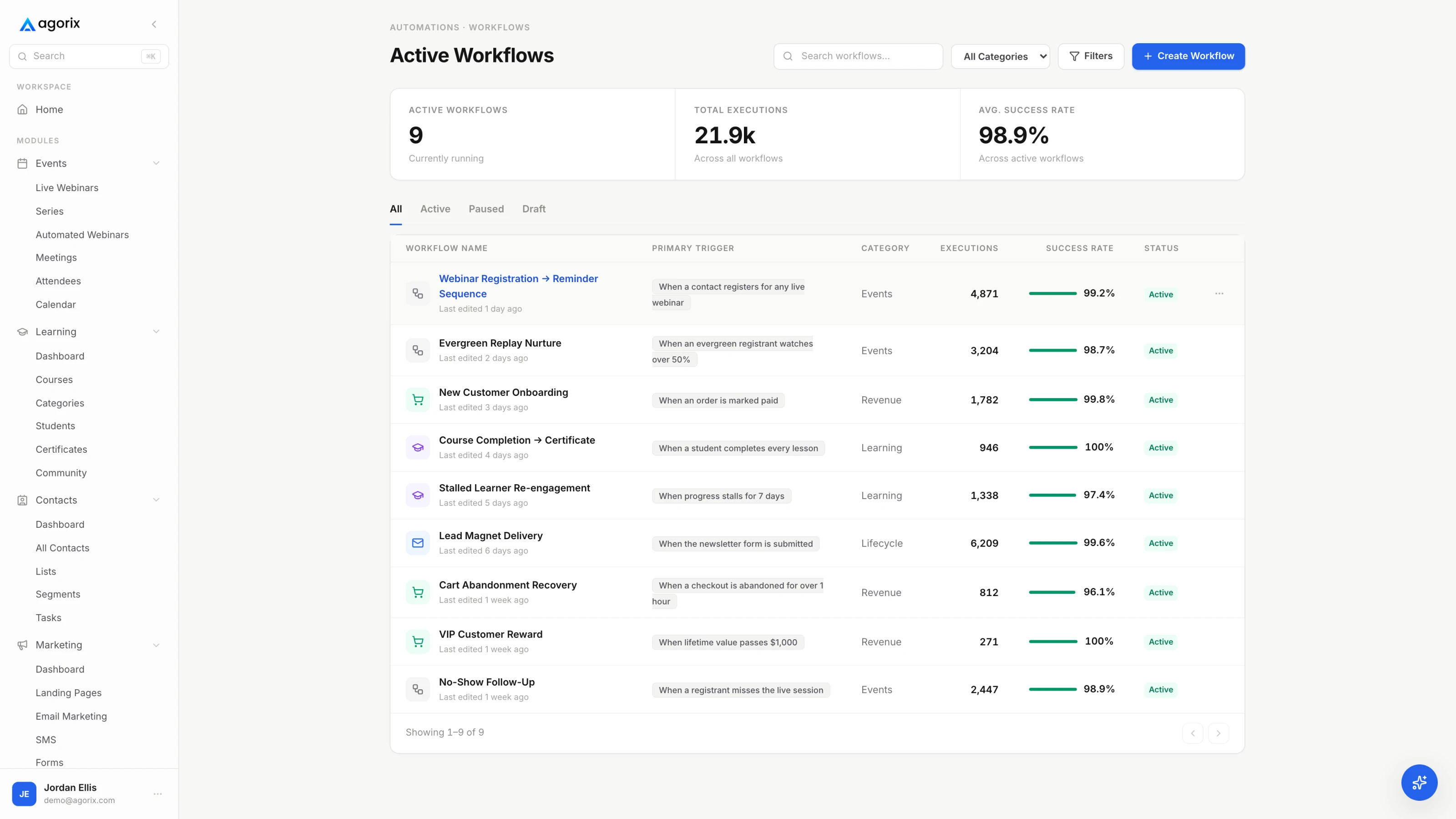
Start with a meaningful event.
Use triggers such as webinar registration, no-show, purchase, meeting attendance, or course completion to begin the next part of the journey.
Build the follow-up around what people do—from workshop signup to course completion. Connect emails, access, and team handoffs in workflows you configure.
Fewer handoffs around your program. More room for your expertise.Ava missed it. Keep the door open. A useful replay offers another way in. One missed session · A useful replay · Another way forward.
The follow-up should not rely on memory. Replays, welcomes, and student check-ins need a clear next step behind them. Remember the replay · Welcome the buyer · Check on the student.
Agorix workflows. Follow through. Connect what people do to the emails, access, and team actions you choose. A meaningful trigger · Your conditions · A useful action.
Choose the moment. Build the response. Set a trigger, add the timing and conditions, then activate the workflow you want. Select a trigger · Set the timing · Choose the action.
Missed workshop. Replay delivered. A matching no-show event starts Ava’s configured path to a replay email. No-show trigger · Chosen delay · Replay email.
Her story changes. Your next step, too. Use purchase or course completion events to start the relevant workflow you have configured. Purchase: welcome · Completion: next step · Team task: personal support.
Give your follow-through a place to run. Start Trial. Connect meaningful moments to useful next steps. Choose the trigger · Shape the response · Activate the workflow.
Illustrative workflow. Actions run only when active and matching configured triggers and conditions. Plan and action limits apply.
Example screens and data are illustrative.
As your audience grows, small gaps become routine: the replay that never went out, the buyer who stayed in the prospect audience, the student who needed a check-in. Give those moments a defined next step.
One connected workspace.
A more thoughtful next step.
Use triggers such as webinar registration, no-show, purchase, meeting attendance, or course completion to begin the next part of the journey.
Send a message, add someone to a sequence, update tags or fields, grant course access, create a task, or notify your team.
Combine conditions and actions across the platform. Configure and activate the workflow, then review how it runs and improve the experience.
An illustrative journey. You configure the content, audience, timing, and active workflows for your program.
A no-show event starts your configured follow-up path.
Send the replay and a relevant message, with timing and audience conditions you choose.
Use purchase activity to shape the next communication and begin the student experience.
Yes. Workflows run when they are active and their triggers and conditions match. You choose the actions, timing, and audience.
Yes. Actions include course access, contact updates, tasks, notifications, event registration, and HTTP requests, depending on the action and your configuration.
Course enrollment and completion participate in the workflow system. Progress and other supported learning data can also inform segments.
Bring your program and your current setup. See how Agorix could simplify the work around your workshops, follow-up, sales, and course delivery.