Is it repeatable?
Have you done it by hand about five times, the same way each time? If the steps still change, you are automating a draft rather than a process.

A workflow does not think. It repeats a decision you already made, at volume, while you are asleep. Three tests decide whether a decision is stable enough to be written down that way — and a fourth question decides what it will cost you to keep.
Which is exactly what makes it valuable when the judgment is settled, and exactly what makes it dangerous when it is not. Software does not improve a decision by executing it faster. It only removes the moment where you would have noticed it was wrong.
Most advice about marketing automation is written as though the question were “can this be automated”. Almost everything can. The useful question is whether the judgment underneath is stable, what happens on the day it turns out not to be, and whether the work it saves is work you are genuinely doing. Three tests, and any one of them can stop a build on its own.
Have you done it by hand about five times, the same way each time? If the steps still change, you are automating a draft rather than a process.
When it fires wrong — and everything eventually fires wrong — what did it do, to how many people, and can an apology fix it?
Is the manual cost measured in hours a month, or in minutes a year? And could a person hit the timing this work actually needs?
Run them in that order, because they get progressively easier to answer and the first one disqualifies the most candidates. Then ask the question that decides what happens over the following two years, which is what the workflow will cost you to keep.
Five is a threshold rather than a law. It is enough repetitions to have met the edge cases and few enough that you have not wasted a year proving something obvious. What the number is really protecting you from is variance.
Read the last three times you did the work, side by side. If they differ only in wording — the same steps, the same order, the same decision points — the process is stable and ready to be written down. If they differ in their steps, you have been improvising competently, and encoding an improvisation produces a workflow that is wrong in a consistent and invisible way.
One clarification worth making, because it is where this test is most often misapplied: what has to be repeatable is the rule, not the content. A workflow can happily send five different messages to five different branches. What has to be stable is the logic that decides which branch somebody lands in. If you can say “anyone who did X gets the X message” without hesitating, the rule is repeatable even though the output varies.
Failing the repeatability test is not a no — it is a not yet, with a specific next action attached. Write down the steps as a checklist somebody else could follow, then do the work from the written version three or four more times. You will edit the checklist while you do, and the edits stopping is the signal you were waiting for. That is also, not coincidentally, the fastest way to build the workflow later: the checklist is the specification.
Not whether it will. Every automation eventually does something you did not intend, because data is imperfect, edge cases arrive, and something upstream changes without telling you. The question this test asks is what that costs and how far it reaches.
Two variables: blast radius — how many people see it — and reversibility — whether the effect can be undone. They multiply rather than add. A wrong tag on ten thousand records is a five-minute fix. A wrong email to ten thousand people is a day, an apology, and some number of unsubscribes you will never see again.
| What it does | What being wrong costs |
|---|---|
| A tag, a field, a segment membership | Fully reversible and invisible. Nobody outside your team ever knew. This is where a new workflow should start its life even when you intend it to send something later. |
| An internal task or a team notification | Reversible. The cost of being wrong is somebody on your team losing four minutes, which is the cheapest error in this table. |
| One email to one person | Not reversible, but survivable and correctable by a human being who apologises. Most automation should be allowed to fail at this level. |
| One email to a segment | Not reversible, and the size of the mistake is the size of the segment. Cap the segment while a workflow is new, then widen it once you have watched it behave. |
| Granting or revoking access | Mechanically reversible, socially expensive. Somebody who paid for a thing was locked out of it, and restoring access does not restore the afternoon. |
| Charging, refunding, discounting | Money moved because of a rule you wrote. Reversible in the ledger and nowhere else. This belongs behind a review step until the rule has been right for a long time. |
| Anything that posts publicly | Not reversible in any useful sense. The screenshot outlives the correction, which is why this category is the one place where the honest answer is usually not to automate it at all. |
As blast radius rises, add a gate rather than abandoning the automation. The workflow still does the work — it watches the signal, assembles the context, prepares the action — and then it stops and waits for a person. You keep the reliability and the speed of the preparation, and you keep human authority over the part that cannot be undone.
Repetitive work feels more expensive than it is, because the annoyance lives in the interruption rather than in the minutes. Count before you build, and count both sides.
The arithmetic is trivial and almost nobody does it: minutes per instance, multiplied by instances per month, against hours to build plus hours per year to maintain. The following figures are illustrative arithmetic — put your own numbers in, because the whole point is that the answer changes completely between two pieces of work that feel identically irritating.
Eight hours a month, ninety-six a year. Against a day to build and an hour a quarter to maintain, this pays for itself inside the first month and keeps paying.
Forty-eight minutes a year. Against half a day to build and an hour a quarter to maintain, this never pays back — and it now needs testing every time something upstream changes.
Then there is the case the arithmetic misses entirely, and it is the reason the highest value workflows in most businesses are also the smallest. Sending one reminder ten minutes before a session takes two minutes. Doing it reliably, for every session, at any hour, on the day you are ill or presenting or on a plane, is not a two-minute job — it is an impossible one. The same is true of anything that has to happen within minutes of a signal: an abandoned checkout, a registration confirmation, access after a purchase.
So the volume test has two halves, and either can justify a build on its own. Is the time real — hours a month rather than minutes a year. And is the timing possible — could a human reliably hit the window this work has to happen in. Latency and reliability are the honest arguments for automating small things; saved hours are the argument for automating large ones.
There is a category of marketing work that passes all three tests on paper and should still never be automated, because the value of it is precisely that a person did it.
Almost everything in the right-hand column can be half-automated without losing what makes it human. Let the system notice the signal, gather the context, route it to the right person and even prepare a draft — then stop. A person reads it, changes what needs changing, and sends. You get the reliability of the machine on the boring half and the judgment of a human on the half that matters, and the customer receives something a person actually decided to send.
Automation is not a one-time cost. It is a small permanent liability paid in attention, and it comes due at the worst possible moment — when the offer changed and the workflow did not.
Nothing about this decay is dramatic. The link still resolves, to a page about last year’s programme. The email still sends, and still says “join us next Tuesday” to somebody reading it on a Thursday in March. The branch still fires, using a rule that made sense when the pricing had three tiers. Nothing breaks loudly. It just slowly stops being true, which is exactly the failure mode that catches always-on evergreen funnels, and for the same reason: nobody is in the room when it runs.
One list. Every live workflow, what triggers it, who owns it by name, when it was last reviewed, and the single number it is supposed to move. Anything not on the list is either turned off or adopted — those are the only two options, and “we will look at it later” is how a business ends up sending mail nobody can account for.
Review the whole inventory quarterly, and review any individual workflow immediately when an offer, price, name, link or date it references changes. Re-test after every change rather than trusting the edit — the workflow testing checklist covers what to re-run when you touch something live.
Deleting a workflow that no longer earns its keep is the cheapest improvement available to most marketing operations, and it almost never happens, because switching something off feels like admitting the build was wasted. It was not — it taught you the shape of the work. Three workflows is a Saturday afternoon. Thirty is somebody’s job, and if nobody has that job, thirty is a liability with a send button.
Four rungs, and the failure in nearly every automation project is skipping the second one. You cannot encode a process you have not written down, so people who jump from doing it by hand to building a workflow end up writing the specification inside the tool while the tool is running.
The fourth rung is where AI agents belong, and framing them this way settles most of the argument about them. An agent is a worker you are delegating to, not a faster workflow. It needs the same things any new hire needs: the brief, the context, the boundaries, and somebody checking the consequential output before it reaches a customer. Handing an agent an undocumented process is not delegation — it is transferring a problem and adding a layer of plausible-sounding output on top of it. Approval gates covers where to place the gate and what a good review actually inspects; the wider argument for running a business this way is in the agentic operating system.
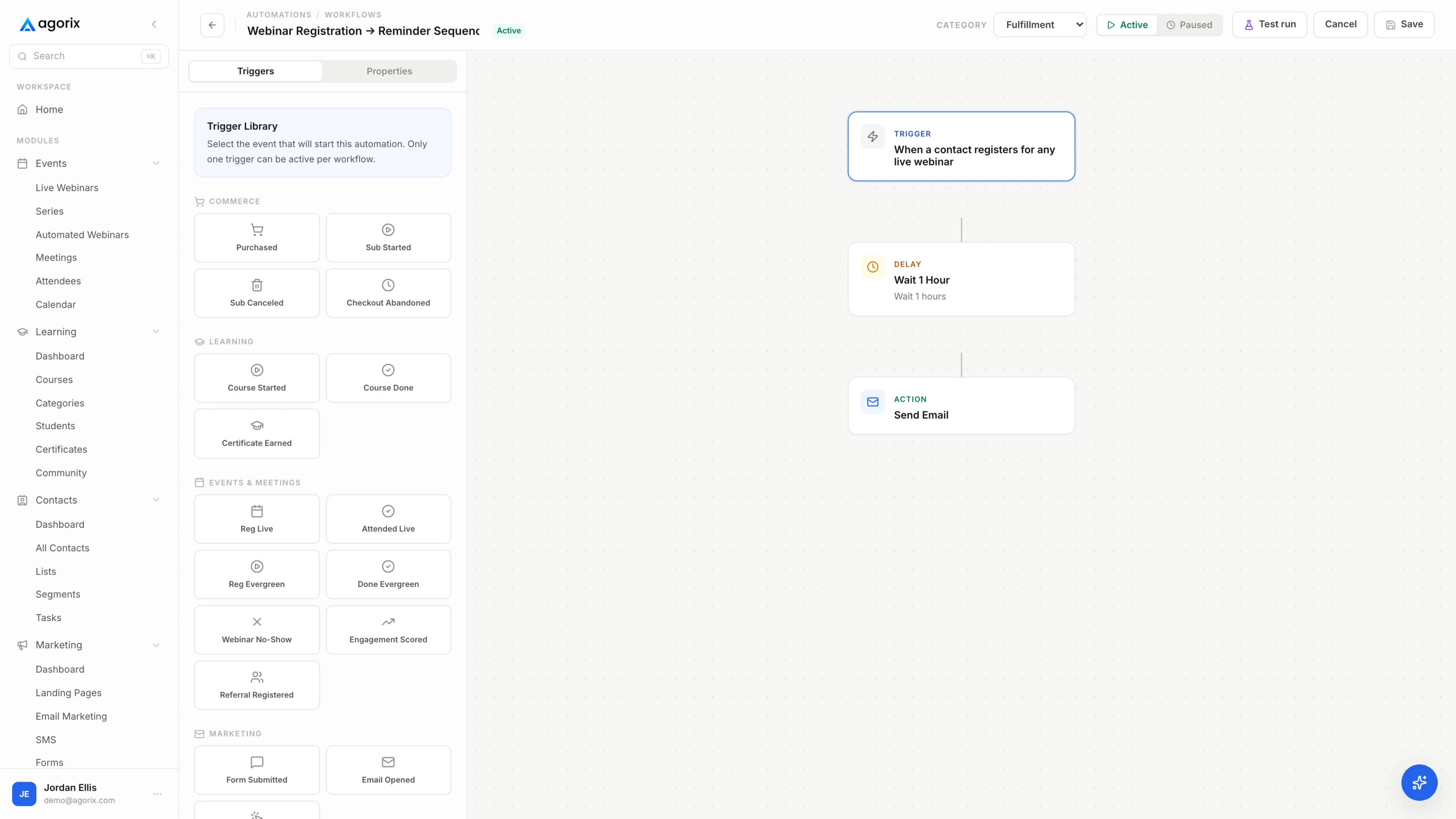
Everything above assumes a workflow can prepare something, stop, and wait for a person. Agorix builds workflows visually across every module, triggers them from behavior on one customer record, and holds consequential steps — including AI steps — for human review before they go out. See how workflows work.
This is the whole guide compressed into a procedure. It takes about twenty minutes per candidate and it will talk you out of more builds than it talks you into, which is the intended effect.
Two outcomes are wins. Building the workflow is a win. Deciding not to build it — and writing down why, so the question does not get relitigated every quarter — is also a win, and it is the one people forget to count. The failure mode is neither: it is building something because it was possible, on a Sunday, with no owner and no number attached to it.
When the answer is build, the order to build in is not a mystery either. Five workflows pass all three tests for nearly every business, and they are worth having in place before you spend judgment on anything more exotic — the first five marketing automations covers each one with its trigger, its exit rules and its number.
The welcome path that fires when somebody new joins, because it runs on every contact you acquire and you can test it honestly by entering it yourself. After that: the event reminder path, the post-event behavior split, the purchase path and the win-back. Those five are safe to automate precisely because nearly every business already performs all five by hand — the build order is here.
First replies to somebody who wrote to you as a person, anything reputational — apologies, incident notices, changes to somebody’s money or status — and the judgment calls, meaning qualification, exceptions and refunds outside your stated policy. The useful move is to separate surfacing from deciding: automate the routing, the context-gathering and even the draft, then stop and let a person press send. That is not a compromise between manual and automated. It is the design.
Have you done it manually about five times, the same way each time? The count matters less than the variance. Read the last three versions side by side: if they differ only in wording, you are ready; if they differ in their steps, you are looking at a draft rather than a process. Write it as a checklist, run the checklist a few times, and automate the version that stopped changing.
It depends on what you are automating rather than on how big the list is. Multiply minutes per instance by instances per month, then compare that against the hours to build plus the hours per year to maintain. Then ask the second question, which people skip: does the work have to happen inside a window a human cannot reliably hit — within minutes of a signal, at any hour? Latency justifies automation as often as volume does, and it is the reason the first five workflows are worth building on a small list.
More than the build, over its life. Keep an inventory of every live workflow with its trigger, its owner and the date it was last reviewed. Review the inventory quarterly, and review an individual workflow immediately whenever an offer, price, name, link or date it references changes. The decay pattern is the same one that catches always-on evergreen funnels: nothing breaks loudly, it just slowly stops being true.
Treat it as delegation rather than automation, which puts it on a different rung with different rules. An agent can summarize context, classify information, prepare a recommendation or draft a message; a person should approve anything customer-facing or consequential before it goes out. In Agorix, AI steps sit inside workflows with human approval gates, and AI actions follow the configured permissions and review rules — approval gates covers where to put the gate and what a good review actually looks at.
Visual workflows across every module, triggered from behavior already on the customer record, with human approval gates on the steps you are not willing to let run unattended.
14 days · $0 due today · Payment method required · Cancel before first charge and pay nothing